
Photography is time-consuming. There’s more to it than bringing a camera and setting it on Automatic Mode before pointing it towards everything you see, as many tend to believe. A photograph, at least a good one, often requires some knowledge before it is taken: Where will the sun be? What shutter speed is ideal? These questions are often important factors to how the image will appear.
Luckily we live in a world where we have huge technological advantages. In fact, there are applications on your smartphone that can answer the questions above for you with only a couple of clicks. Using such applications can save a lot of time both when preparing for a trip and when using the camera. In this short article I’ll give you my two favorite mobile apps for photography.
Disclaimer: I’m not getting paid by any of these companies to promote their apps. These are simply apps I find useful for my workflow.
The Photographer’s Ephemeris – $8.99
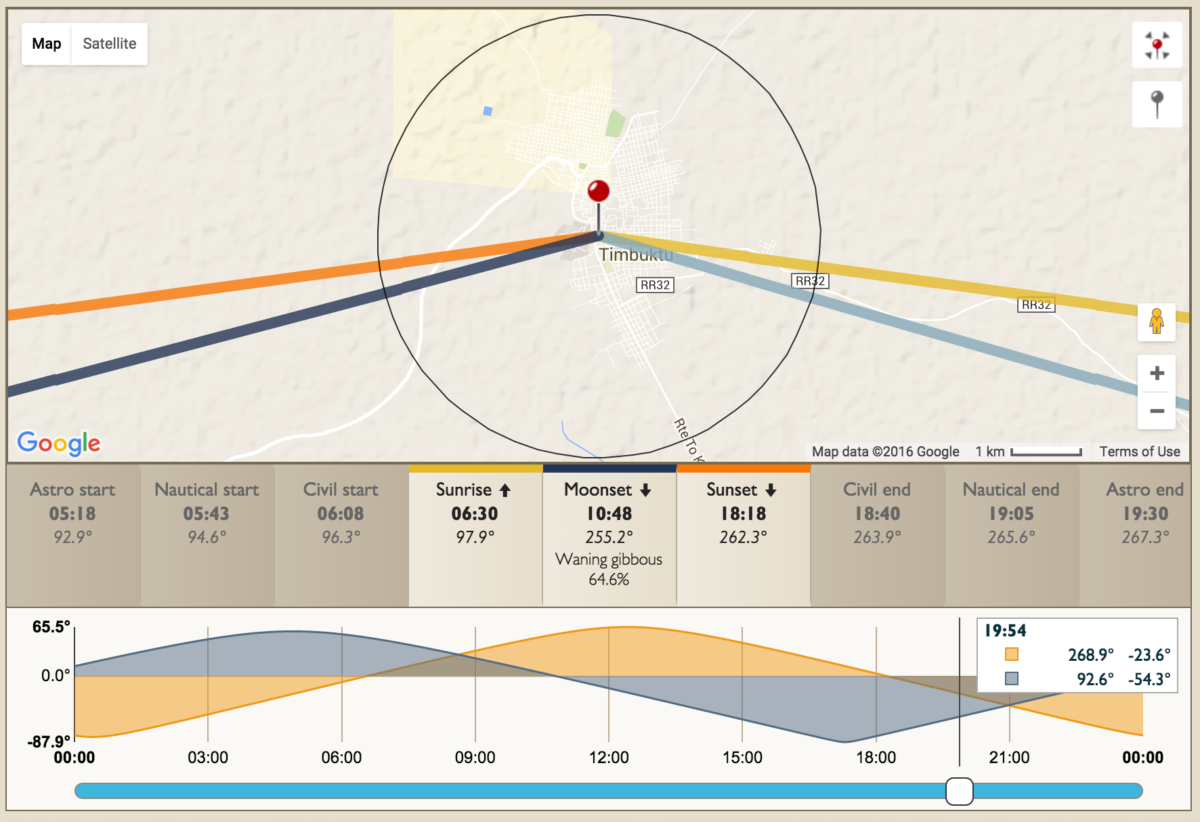
The Photographer’s Ephemeris (TPE) helps you plan outdoor photography shoots in natural light, particularly landscape and urban scenes. It’s a map-centric sun and moon calculator; see how the light will fall on the land, day or night, for any location on earth.
 Most photographers prefer photographing during the first and last hour of sunlight, also known as the golden hour. This app tells you exactly when the sun rises and sets, where its position is during every minute of the day, and the same for the moon. You can search for locations, choose your current location and save locations. Basically this is a great application for preparing for tonight’s shot or next week’s photo trip. What impresses me the most is that even in remote places in Norway it’s very accurate. It shows the height of the hills around you and uses this information when showing when the sunset/sunrise is. Even though this is quite an expensive application, it is well worth the money.
During the last few months, I’ve also been exploring a similar application named PhotoPills that I can also strongly recommend. In fact, PhotoPills is a little more advanced than TPE and also shows a great deal of information regarding space and astrophotography. If you like photographing stars or the moon, I would recommend PhotoPills instead of TPE.
NDCalc – $0.99 (New Versioin NDCalc 2)
When I was getting into Long Exposure Photography, NDCalc was one of my most used applications. For those who don’t know what Long Exposure Photography is, it’s a technique when using a slow shutter speed.
Instead of manually calculating what exposure time you need when using a Neutral Density filter NDCalc does it for you. All you need to do is insert what would be the correct shutter speed without a filter and then select what filter you use. If the exposure is more than 4 seconds it shows a countdown button that sets off an alarm when it’s done.
Even though this is an excellent app that will make your life a little easier, I still recommend learning to calculate exposure times manually since it is important to understand what you are doing.
I’m curious – What is your favorite photography application? I’m always on the lookout for something new and useful.


I use these apps on the Android cellphone Samsung Galaxy S5 when planning time to shoot. 🙂
Great article! I’ve got TPE for Android, could you recommend an equivalent for NDCalc available for Android? 🙂 Thanks!
I use Exposure Calculator with my Android Samsung S5. But most of time I start with one minute exposure and adjust according to the histogram…
Hi Bardiel!
I’m happy you enjoyed the article.
I haven’t used a Android in many years, so I don’t know exactly what apps are best for it. However NDCalc is also available for Andriod as far as I know. See this link: https://play.google.com/store/apps/details?id=com.briandorey.ndcalc&hl=no (I don’t know if it is the same creator though.)